
Introducing Desktop Site v2
Major Update: We have launched a new version of the desktop site packed with a variety of usability and functional enhancements.
Here is an overview of the new version at a glance.
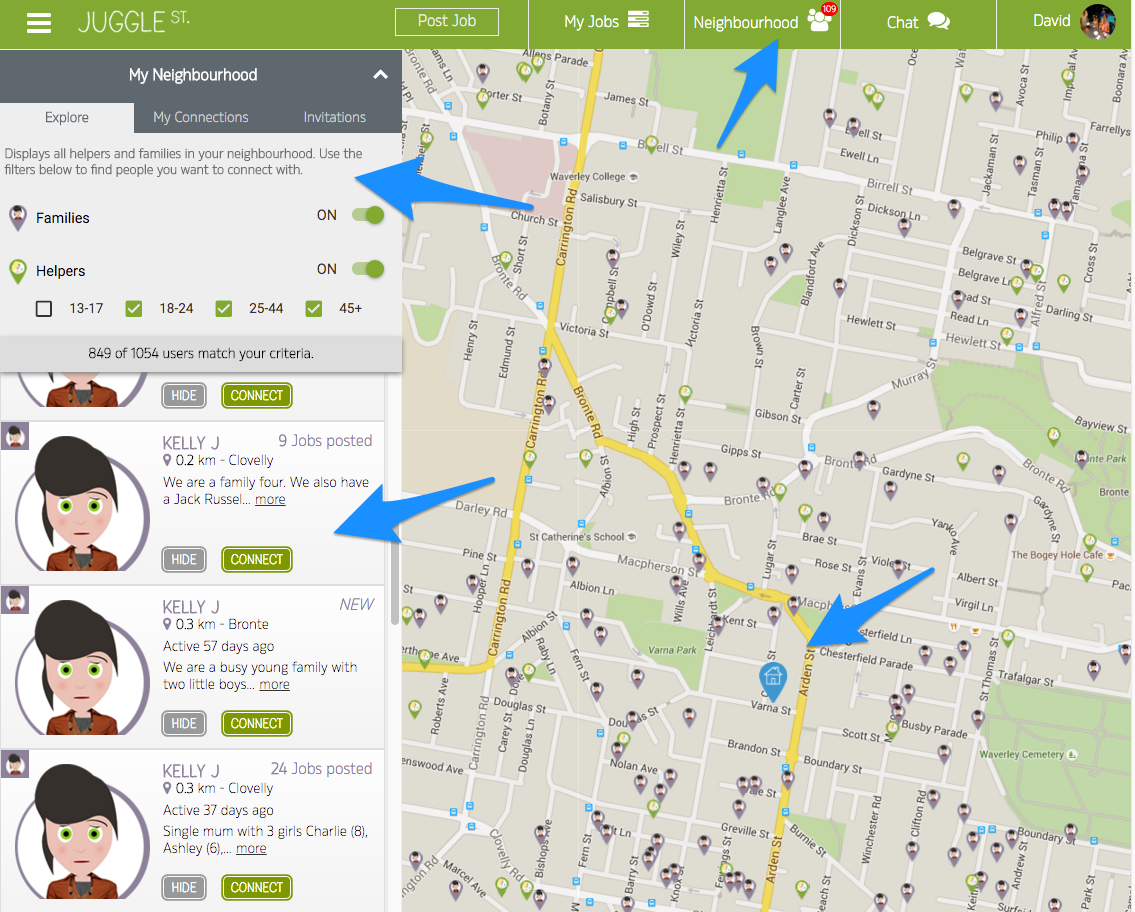
The main calls to action are now accessible directly from the header, things like posting a job, reviewing job applications, chatting or connecting with neighbours is now one click away.
We have introduced a new My Neighbourhood page designed specifically to help you quickly get in touch with new neighbours, chat with existing connections and review invitations from other families and helpers that would like to connect with you.
In the example shown above, there are over a 1,000 families and helpers that parents can interact with. There are three main filters available on the page. The Explore section is used to get in touch with new neighbours while My Connections shows families and helpers that you have interacted with in the past (think of it as your private network) and finally the Invitations section shows other users in the network that are interested to connect/chat with you.
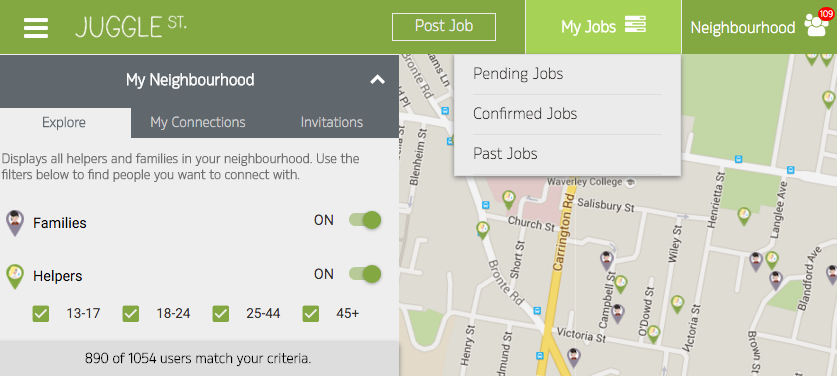
To access the jobs that you have already posted, just hover over the My Jobs section as shown below.
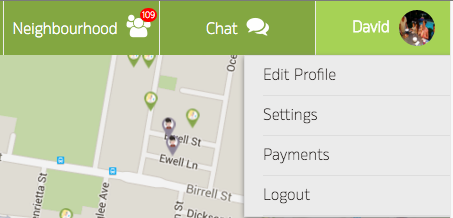
If you would like to edit your profile, update your notification settings or your payment details, just hover over the section that displays your name and select the desired option.
Check out the new update and let us know your feedback.