
Streamlined Job Management Process for Desktop Users
New Feature: We have streamlined the job posting and job management experience for parents on our desktop site. Parents are now able to post babysitting, nannying, before & after school care jobs, specify multiple shifts per day and easily track, respond, shortlist and chat potential candidates.
Let's say I am trying to find a helper to help out with school pickups and drop-offs on Tuesdays and Thursdays, here are the steps:
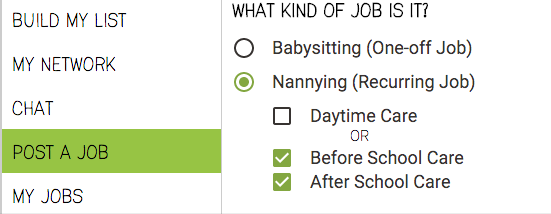
Step 1: Select the job type that best matches what you are looking for, setting the job type will allow the system to match you with the helpers who are interested, the system can also guess the start time and finish time to make it faster to go through the process. For example, before school care defaults to 6am-9am while after school care defaults to 3pm-6m.
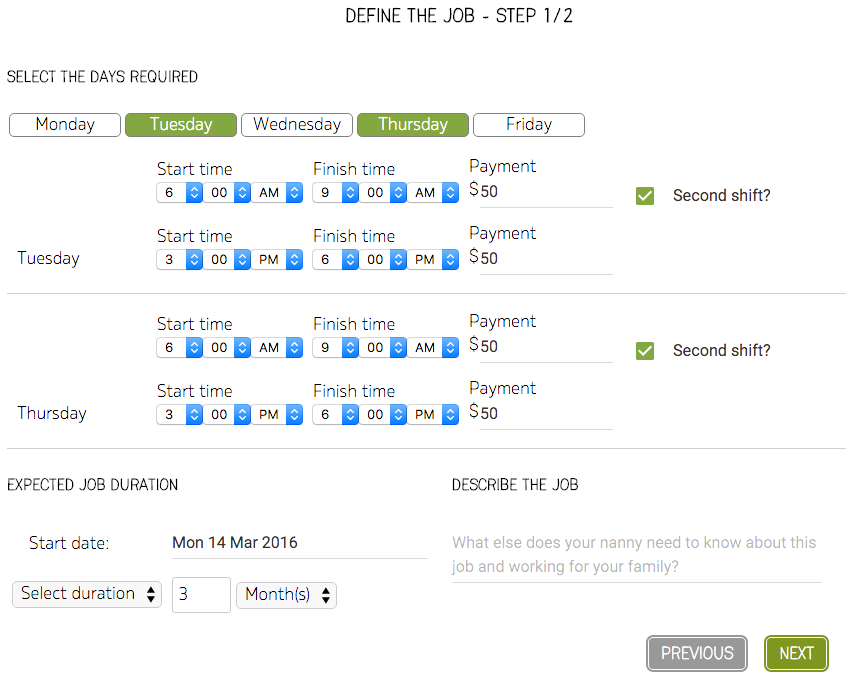
Step 2: Specify the schedule by clicking on the required days of week then specify the start and finish time followed by the price you are willing to pay. Finally, specify the start date of the job and either the finish date or job duration then click Next.
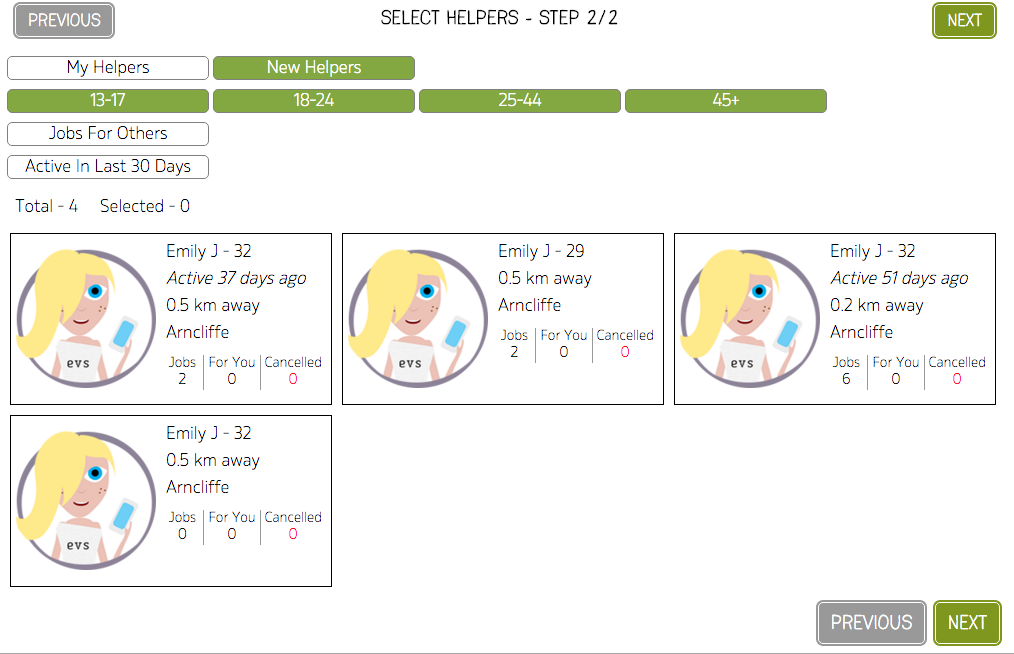
Step 3: Select the helpers that you would like to invite for the job.
Step 4: Review and post the job.

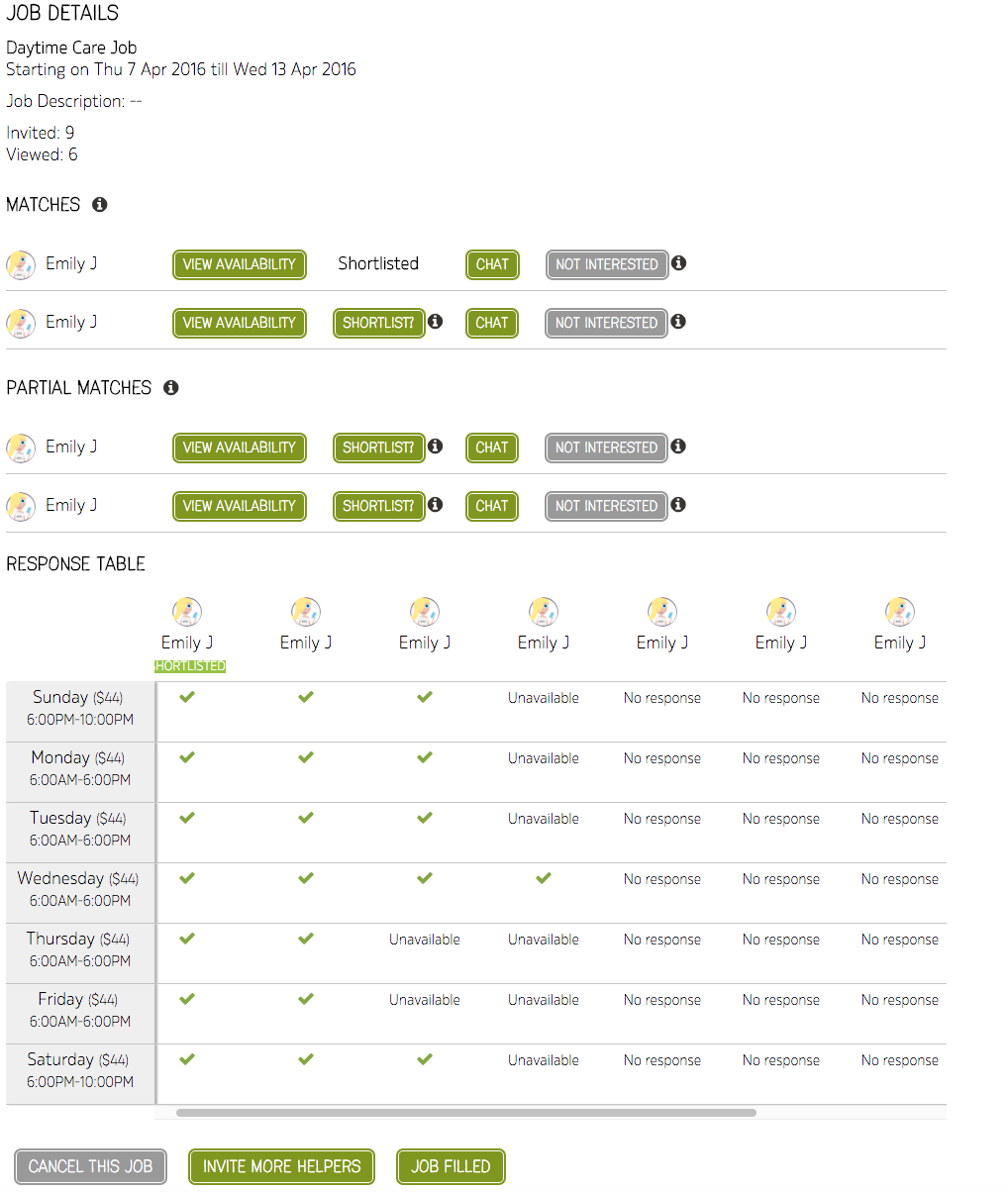
Step 5: Review responses as they come in.
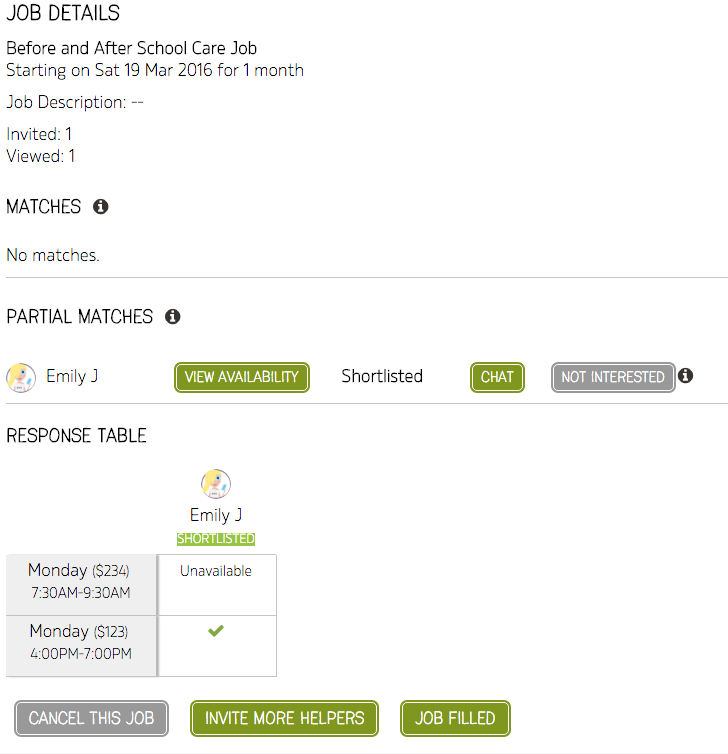
Typically, you should invite several helpers to increase your chances of finding suitable candidates, here is another example for a daytime care job.
Check it out and let us know your feedback.